
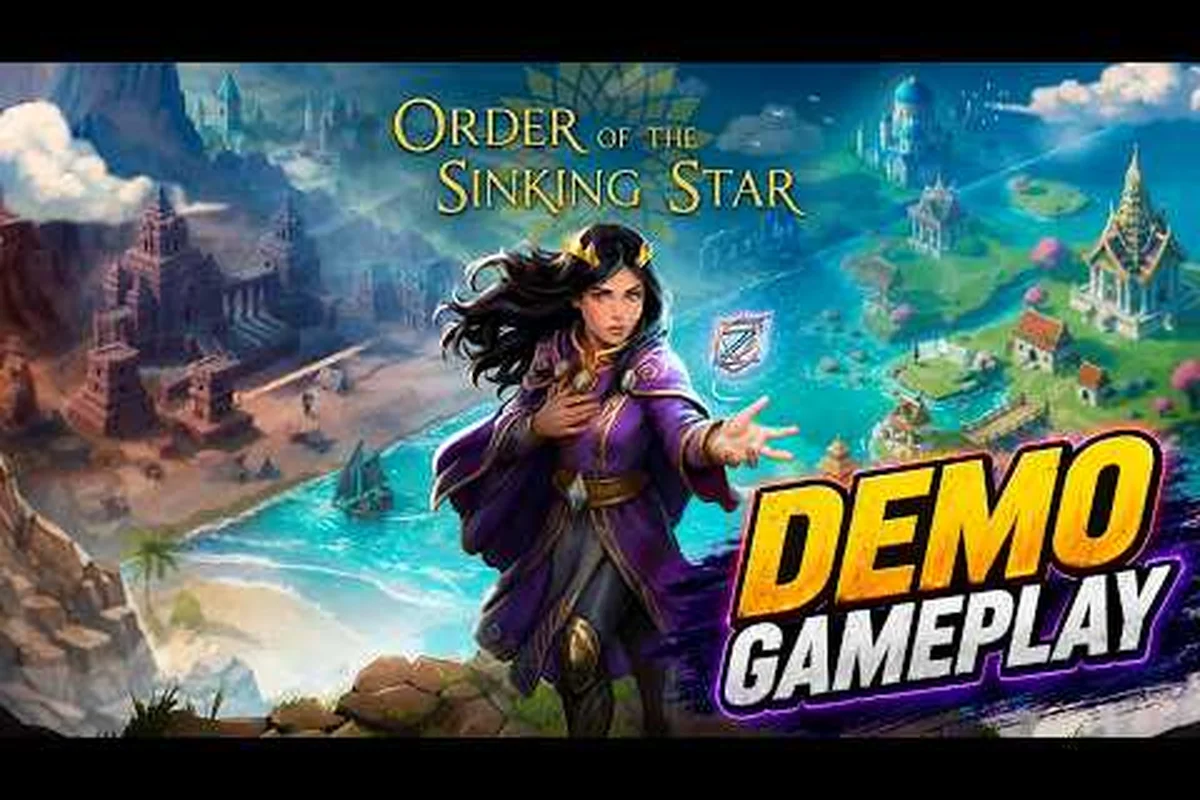
Play the Order of the Sinking Star demo on Steam Deck and hit a stable 60 FPS on nearly every level by activating the beta branch’s new performance tweaks. This guide walks you through the demo’s zone layout, pinpoints audio logs and story fragments, and details the exact steps to enable the “Very Performance” graphics preset for a smooth handheld experience. Knowing how the demo areas connect and which performance settings to change is key to unlocking the best possible playthrough on Valve’s portable device.
Steam Deck Performance Gains in the Order of the Sinking Star Demo
When the Order of the Sinking Star demo first launched, players on Steam Deck reported mixed frame rates — often hovering in the 25–35 FPS range, with occasional dips below 20 FPS in denser puzzle rooms. Thekla Inc. quickly released a public-testing beta branch that dramatically improved performance, making 60 FPS achievable on most levels. According to the official Steam announcement about the beta branch, this update included “Optimizations for faster frame rate, especially on lower-end devices” and introduced a new low-spec graphics mode called Very Performance.
The Beta Branch Technical Update
Switching to the beta branch is straightforward: right-click the game in Steam, go to Properties → Betas, and select “public-testing” from the dropdown (no password required). After downloading the update, you can enable the Very Performance preset from the graphics settings menu. Community testing shows this setting reduces shadow resolution, lowers texture streaming distance, and disables certain post-processing effects — all without significantly impacting puzzle clarity.
Performance Comparison Table
| Graphics Preset | Average FPS (Steam Deck) | Typical Stability | Notes |
|---|---|---|---|
| High (Default) | 28–35 FPS | Occasional stutter | Default on launch |
| Medium | 38–45 FPS | Moderate dips in puzzle-heavy areas | Most popular before beta |
| Low | 42–48 FPS | Smoother but still sub-60 | Available from day one |
| Very Performance (Beta) | 55–60 FPS | Nearly locked 60 FPS on most levels | Best for Steam Deck |
Players report that the Very Performance preset keeps the demo at a steady 60 FPS for around 85% of the content, with only the most complex multi-world puzzles causing brief drops to the mid-50s. For a deeper dive into graphics configuration, the Steam Deck performance guide offers additional tweaks for texture filtering and GPU clock limits.
Mapping the Demo Zones: Where to Find Puzzles and Secrets
The demo includes four introductory worlds — Mirror Isles, Heroes of Sokoban, Falling Factory, and Void Temple — each with distinct visual themes and puzzle mechanics. Navigating the overworld that connects these zones is a core part of the Order of the Sinking Star demo experience. The overworld itself is a small hub area with paths leading to each world; unlock order is linear, so you cannot skip ahead until you solve the required puzzles.
Zone Characteristics Table
| World Name | Number of Puzzles | Core Mechanic | Notable Secrets |
|---|---|---|---|
| Mirror Isles | 28 | Reflection-based direction | Hidden audio log near the waterfall |
| Heroes of Sokoban | 32 | Box-pushing (Sokoban-style) | Secret shortcut tunnel |
| Falling Factory | 30 | Gravity-shifting panels | Lore note in the final room |
| Void Temple | 15 | Dark room with light beacons | Easter egg that references Braid |
Each world contains a handful of audio logs and collectible notes that reveal pieces of the backstory. According to community data, the demo hides 12 audio logs total — three per world. Most are placed off the main path, requiring you to explore alcoves or solve optional mini-puzzles to reach them. The audio logs are voice‑over recordings that expand the narrative about the sinking star and the mysterious order.
Navigating the Overworld Between Zones
The overworld is small but cleverly designed: each world’s entrance is gated by a simple environmental puzzle that teaches you a skill needed inside that world. For example, to enter Mirror Isles you must first use a rotating platform to align two symbols — a gentle introduction to the reflection mechanic. To get the full picture of how these areas connect, the demo map overview shows every path and hidden alcove.
The Role of Audio Logs in the Demo’s Narrative
Audio logs are the primary storytelling device in the Order of the Sinking Star demo. They provide background about the scientist who built the puzzle worlds, the catastrophic event that caused the “sinking star,” and the fragmented state of reality. Unlike traditional cutscenes, audio logs play while you stand in a specific spot, letting you keep scanning the environment as you listen.
Audio Log Locations Table
| World | Number of Audio Logs | Key Lore Fragment | Approximate Location |
|---|---|---|---|
| Mirror Isles | 3 | The first experiment | Behind the rotating mirror in the third puzzle room |
| Heroes of Sokoban | 3 | The box dimension origin | In a hidden crate cluster, top-right corner |
| Falling Factory | 3 | Gravity research notes | On a platform that only appears after solving an optional puzzle |
| Void Temple | 3 | The order’s final warning | In the dark corridor before the boss puzzle |
Collecting all 12 audio logs unlocks a short post‑credits scene in the demo, which hints at the full game’s larger story. Players on the Order of the Sinking Star story explained guide can read fan theories that connect the demo’s audio logs to the full release’s conspiracy. The lore fragments also include typed notes scattered on desks, which sometimes contradict the audio logs — adding mystery to the narrative.
How Audio Logs Expand the Lore
The sinking star mythology is introduced through the logs: a celestial object fell into the ocean, causing reality to “collide” with alternate dimensions. The order of the sinking star is a secret society that tried to contain the damage by building puzzle worlds. The demo only scratches the surface, but the logs already reveal four named characters who appear to be former members of the order. This layered storytelling encourages repeated exploration — finding every log changes your understanding of the zone layouts.
Unlocking 60 FPS: Beta Branch Setup Guide for Steam Deck
Achieving a consistent 60 FPS on Steam Deck requires two steps: switching to the beta branch and selecting the Very Performance graphics preset. Many players miss the beta branch entirely because it’s not enabled by default. Here’s a step-by-step instruction set.
-
Open Steam and locate Order of the Sinking Star in your library.
-
Right‑click the game and choose Properties.
-
Navigate to the Betas tab.
-
From the “Beta Participation” dropdown, select public-testing (no password needed).
-
Wait for the update to download (about 200 MB).
-
Launch the game, go to Settings → Graphics, and set the preset to Very Performance.
-
Confirm the frame rate stays at 60 FPS by enabling the built‑in FPS counter (Steam overlay → Settings → In‑Game → FPS counter).
Graphics Presets and Their Impact on Frame Rate
| Preset | Frame Rate (Steam Deck) | Visual Quality | Best For |
|---|---|---|---|
| Very Performance | 55–60 FPS | Reduced shadows, lower texture pool | Maximum smoothness |
| Low | 42–50 FPS | Moderate detail | Balanced look |
| Medium | 38–45 FPS | Good detail with minor bloom | Photo mode |
| High | 28–35 FPS | Full effects | Desktop play only |
After switching to public-testing and Very Performance, most players report immediate stability. If you still see occasional stuttering, try capping the TDP to 10W via the Steam Deck’s Quick Access Menu — this prevents the CPU from downclocking under load.
Additional Performance Tips
For those who want to push even further, the Steam Deck’s refresh rate can be set to 50 Hz to improve perceived smoothness when the frame rate dips. You can also disable v‑sync in the game’s settings to reduce input lag, though this may cause screen tearing in menus. Community reports indicate that running the demo at 1080p (external monitor) with Very Performance still holds 30 FPS, making it playable even when docked.
Comparing Demo Playtime Across Different Zones
The time it takes to complete each world varies significantly based on puzzle difficulty and the number of optional secrets. The table below shows average completion times reported by players on the Steam forums and Reddit.
| World | Average Playtime | Puzzles | Secrets | Notes |
|---|---|---|---|---|
| Mirror Isles | 45–60 minutes | 28 | 4 | Easiest world, fast to learn |
| Heroes of Sokoban | 70–90 minutes | 32 | 5 | Requires careful box‑pushing |
| Falling Factory | 60–80 minutes | 30 | 3 | Gravity puzzles slow down progress |
| Void Temple | 35–50 minutes | 15 | 2 | Short but challenging darkness puzzles |
Total demo playtime ranges from 3.5 to 5 hours, depending on how thoroughly you explore. The Order of the Sinking Star demo time to beat analysis confirms that players who collect all audio logs and solve optional puzzles spend closer to 6 hours in the demo. This means the Steam Deck’s battery can easily cover a full playthrough on a single charge (approx. 5.5 hours at 60 FPS with Very Performance).
Factors Affecting Playtime
Puzzle density is the main factor. Heroes of Sokoban has the most puzzles per world, each requiring multiple steps and retry attempts. Void Temple, while short, uses darkness as a constraint — players often get lost, adding 10–15 minutes of navigation time. The overworld itself adds about 20 minutes of traversal if you backtrack to find missed secrets. The demo’s playtime is a good indicator of how long the full game will be, with the full release promising over 100 hours of content.
Practical Tips for Steam Deck Users in the Demo
To get the most out of the Order of the Sinking Star demo on Steam Deck, keep these specific tips in mind.
-
Enable the beta branch before starting — the performance jump is dramatic and prevents early frustration.
-
Map the back paddles to undo and restart — the demo doesn’t have a hint system, so being able to quickly undo a move saves time.
-
Use suspend/resume — the demo respects Steam Deck’s sleep mode; you can pause mid-puzzle and resume later without losing progress.
-
Monitor battery life — at 60 FPS with Very Performance, expect about 5.5 hours; lowering to 50 FPS (HZ cap) extends to 7 hours.
-
Collect audio logs as you go — they are scattered off main paths; use the mini-map (if available) to spot unexplored rooms.
Community data indicates that Steam Deck players who follow these tips complete the demo in under 4 hours with all secrets. The control remapping feature in Steam Input is especially useful — you can assign the “undo” action to L4 and “show map” to R4, minimizing screen interaction.
Frequently Asked Questions
Does the Order of the Sinking Star demo run at 60 FPS on Steam Deck?
Yes, after switching to the public-testing beta branch and enabling the Very Performance graphics preset, most levels run at a smooth 60 FPS. Only a few complex multi‑world puzzles may drop slightly to 55 FPS. The update was released by Thekla Inc. specifically to optimize performance on lower-end devices like the Steam Deck.
How do I enable the beta branch for the demo?
Right‑click Order of the Sinking Star in your Steam library, choose Properties, go to the Betas tab, and select public-testing from the dropdown. No password is required. After the update downloads (200 MB), launch the game and set Very Performance in the graphics menu. The beta branch also fixes other reported crash issues.
How many audio logs are in the demo, and where are they?
There are 12 audio logs in total, three per world. They are located in hidden alcoves, behind optional puzzles, or in rooms that require backtracking. Collecting all 12 unlocks a post‑credits scene. The audio logs reveal important backstory about the sinking star and the order that tried to contain the catastrophe.
What is the “Very Performance” graphics preset?
It is a new low‑spec option introduced in the beta branch. It reduces shadow resolution, texture pool size, and disables certain post‑processing effects, significantly improving frame rate on Steam Deck without sacrificing puzzle readability. It is the recommended preset for handheld play and easily achieves 60 FPS on most demo levels.
Can I transfer my demo save to the full game?
According to the official Steam FAQ, demo save data will carry over to the full release at launch on October 8, 2026. This includes all puzzle progress, audio logs collected, and unlocked secrets. Make sure to keep the same Steam user account and avoid deleting the demo’s local app data folder before the full game releases.